
AI STUDIO FOR FANCY PRODUCT DESIGNER
AI Studio for FPD
Give your customers this opportunity and sell more!
Your customers can upload their own photo and describe what they have in mind—right in your online store, alongside your Fancy Product Designer plugin. Remove backgrounds and change colors without changing your existing product catalog.
✓ One-time purchase · ✓ No subscription · ✓ Buy AI credits when you need them
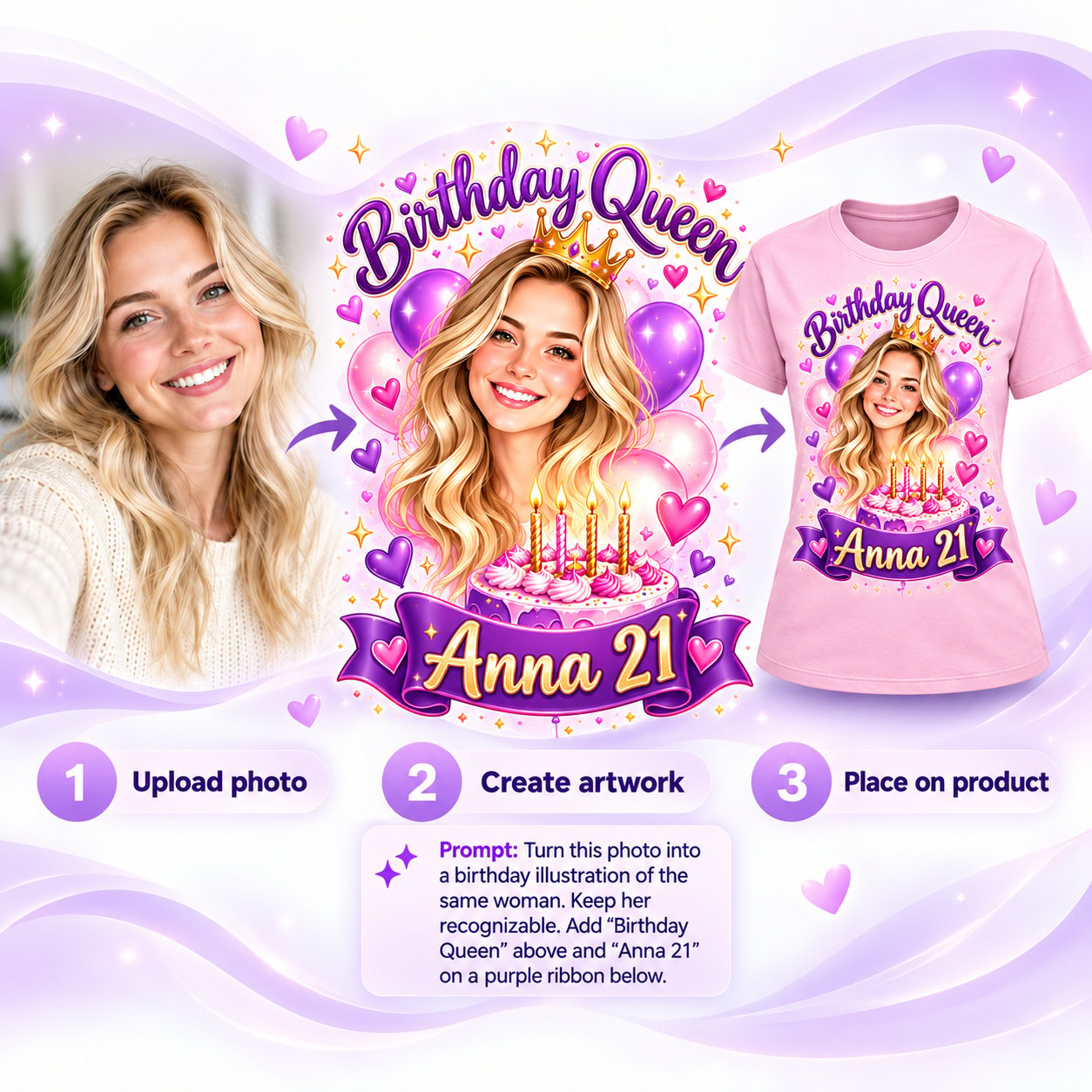
From a photo to a personal product
Start with a photo, create birthday artwork with a prompt, then place the design on a T-shirt in your FPD catalog.
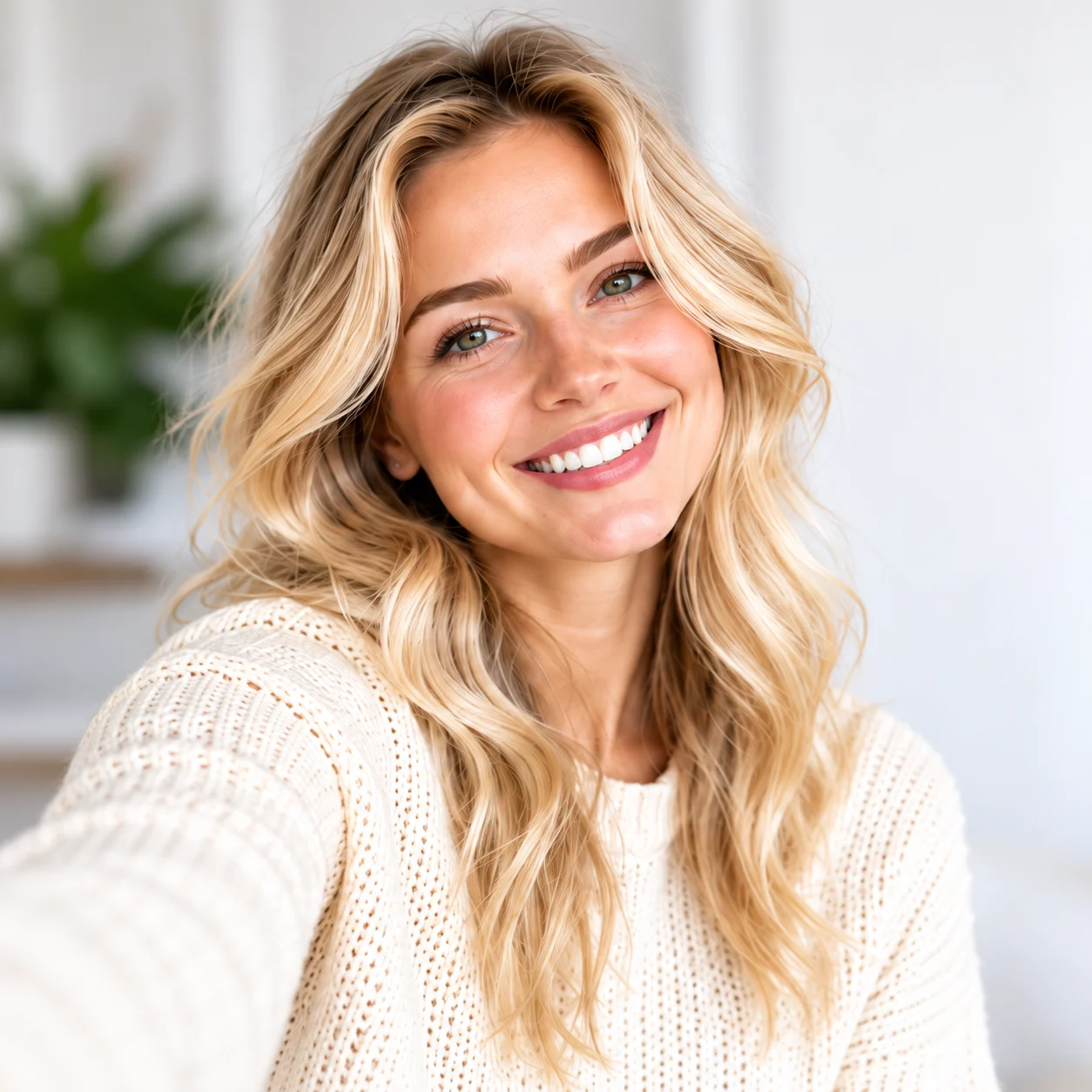
1. Upload a photo
Anna uploads a selfie. Her face and hairstyle become the reference, so the design begins with a real person.
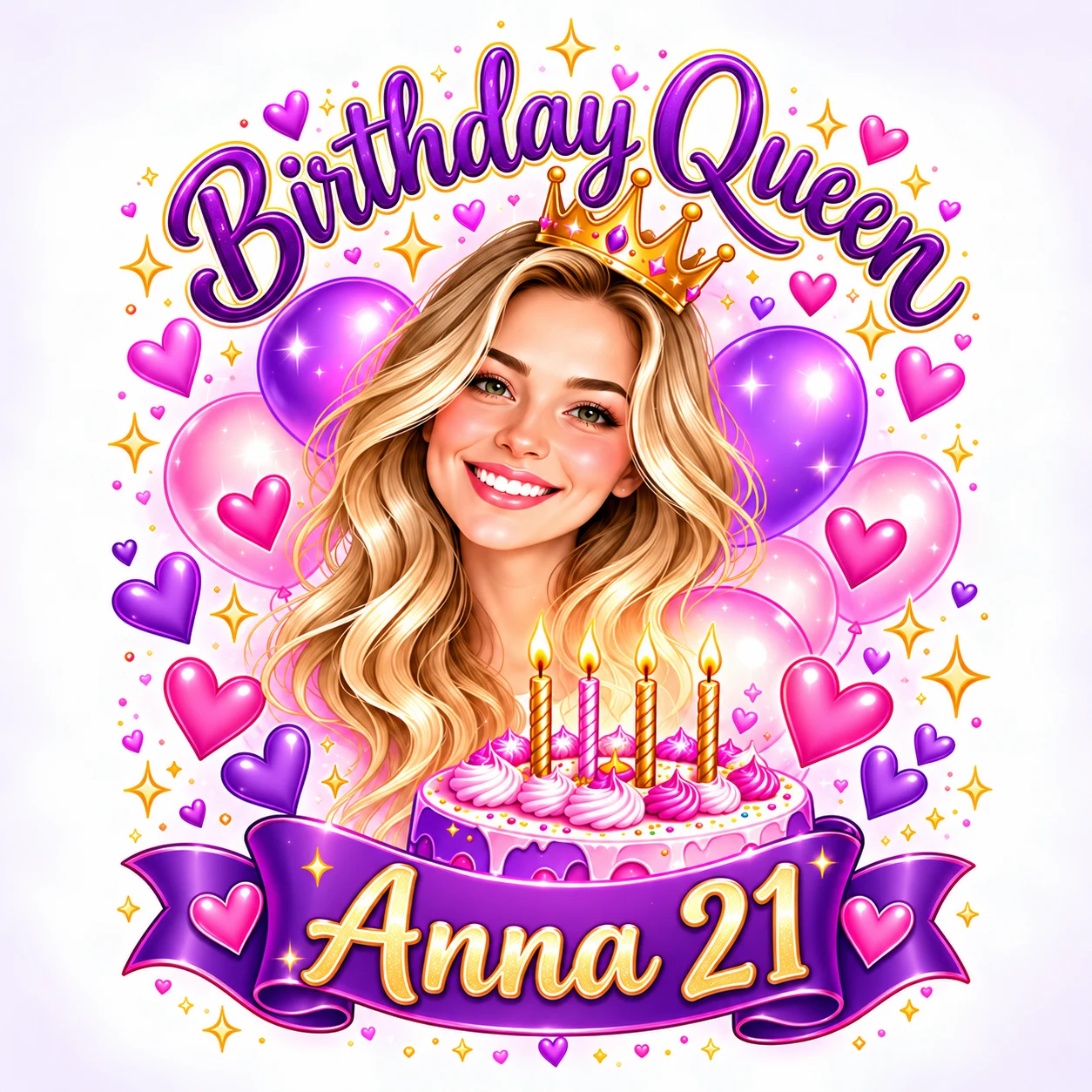
2. Create the artwork
AI Studio follows a prompt to keep Anna recognizable and add “Birthday Queen” above “Anna 21” on a purple ribbon.
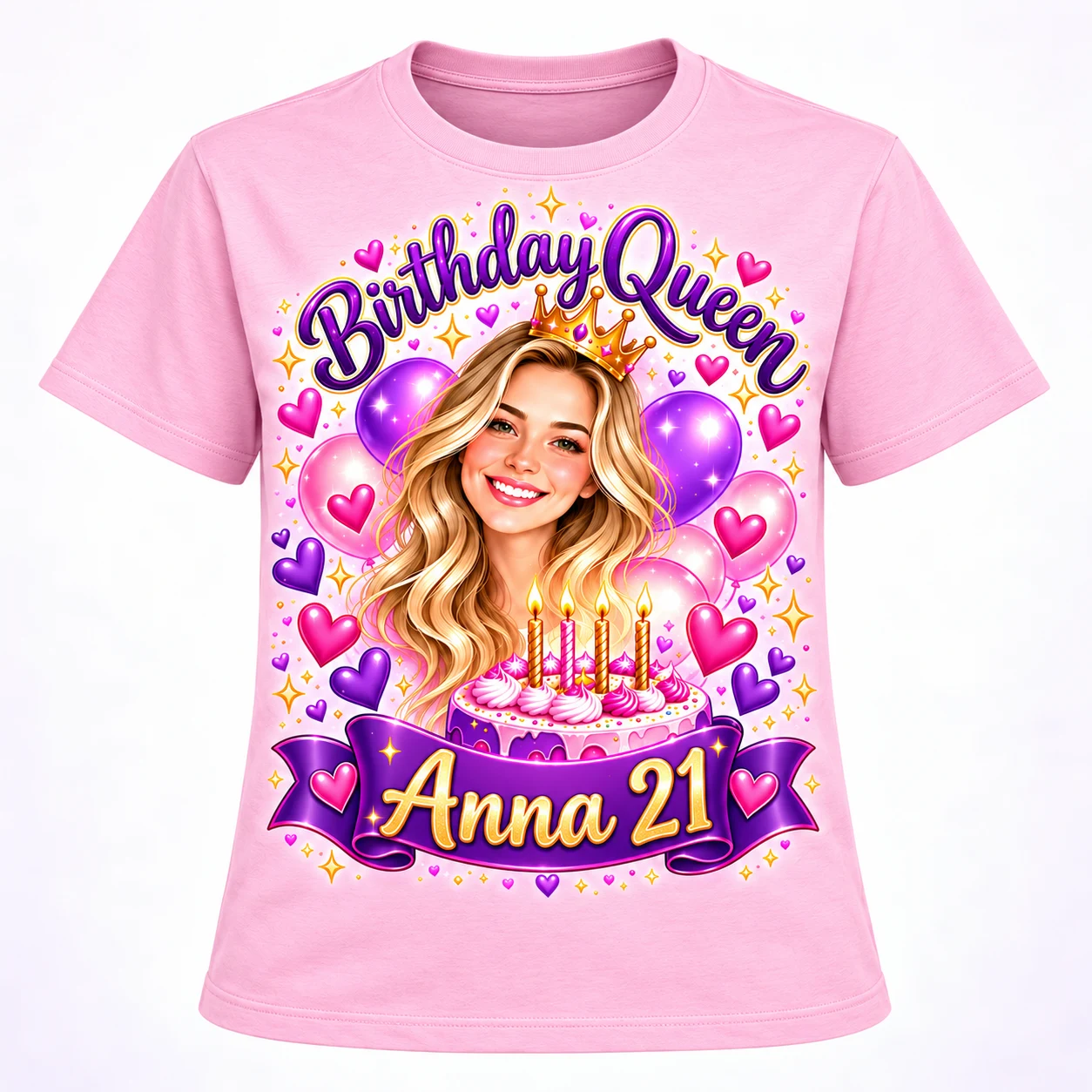
3. Place on a product
The result goes onto a pink T-shirt. The same portrait, headline and ribbon appear in the product design.
Example prompt: Turn this photo into a birthday illustration of the same woman. Keep her recognizable. Add “Birthday Queen” above and “Anna 21” on a purple ribbon below.
Creative tools inside Fancy Product Designer
Image-to-Image
Upload a photo of your own subject and describe a new scene. AI Studio uses the image as a reference for your design.
Remove Background
Remove backgrounds with one click. Clean, sharp and ready to use in your design.
Change Colors
Upload an existing logo and describe which colors need to be adjusted. AI Studio does the rest.
Multiple Styles
Choose from styles such as anime, black & white, cartoon and sketch.
Install and set up AI Studio
Install the WordPress add-on, add its module in UI Composer, and make the AI tools available in your designer.
Make Fancy Product Designer Genius Again
Fancy Product Designer once offered Genius AI and Pro Export. Those services are offline. AI Studio adds creative AI tools to an existing FPD store without rebuilding its product catalog.
Keep your FPD setup
Install the independent WordPress add-on and add its module to the FPD interface. Your UI Composer templates and existing products stay in place. Customers can upload photos, remove backgrounds, change colors and try new visual styles within the design workflow.
Text-to-image invents. Image-to-image remembers.
Genius generated images from text prompts. Without a reference photo, AI chooses the dog itself—like the imagined dog in our earlier PrintGear example. AI Studio for FPD adds image-to-image: the customer uploads a real photo, then uses a prompt to give that familiar subject a new scene.
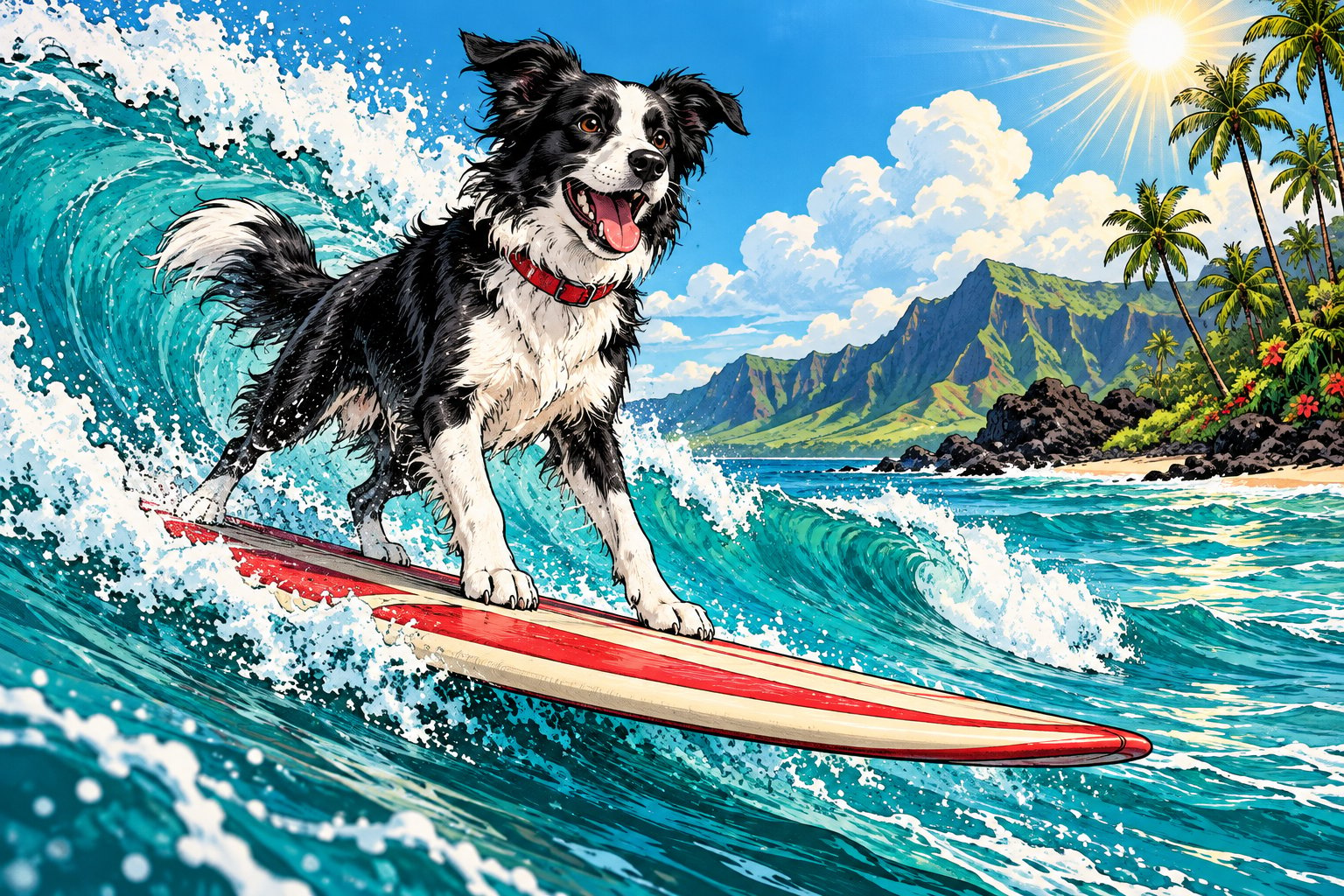
Text-to-image
“Put a dog on a surfboard.” No photo was uploaded. AI invented this black-and-white dog and its red collar.

Their own photo
The customer uploads a beach photo of their golden retriever. This gives AI a real dog to work from.

Image-to-image
“Put MY dog on a surfboard.” AI creates a new comic scene guided by the uploaded photo.
Look closely: the golden coat, floppy ears, turquoise collar, round orange tag and open smile appear in both the beach photo and the surf illustration. The setting changes; the dog remains recognizable. AI can reinterpret details, so review each result before printing.
Add AI without rebuilding your store
Chamevo, the successor promoted by the team behind FPD, offers a broader hosted platform with print-ready exports. However, a merchant who already uses FPD may prefer to add image-guided AI to the existing store. AI Studio offers that route without a product migration or a rebuilt customizer.
A merchant who already uses FPD can add image-guided AI without migrating the product catalog or rebuilding the customizer. AI Studio for FPD costs $29 once, excluding VAT, for one website and includes 50 free AI credits. More credits can be purchased when needed. The add-on has no monthly subscription.
AI Studio does not include the former Genius print-ready export or restore the discontinued Genius service.
Remove backgrounds. Keep creating.
AI Studio brings one-click background removal into Fancy Product Designer. You can also create artwork from a customer photo and prompt, change colors and explore new styles without leaving the designer.

Original photo

Background removed
Professional results, including challenging backgrounds. The output is ready to use in a product design.
Create in multiple styles
One original photo, four prompts and four unedited results from the live AI Studio demo.

Original
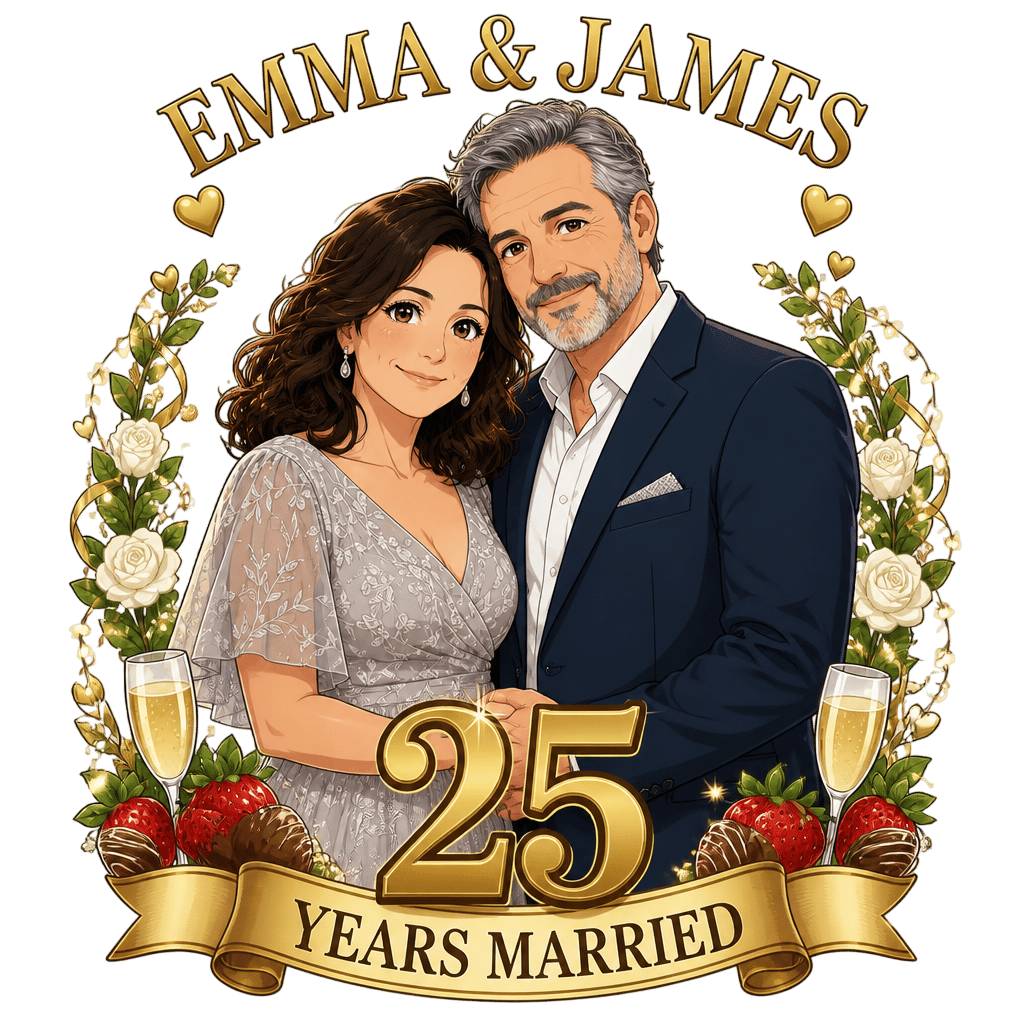
Anime

Vintage

Impressionist
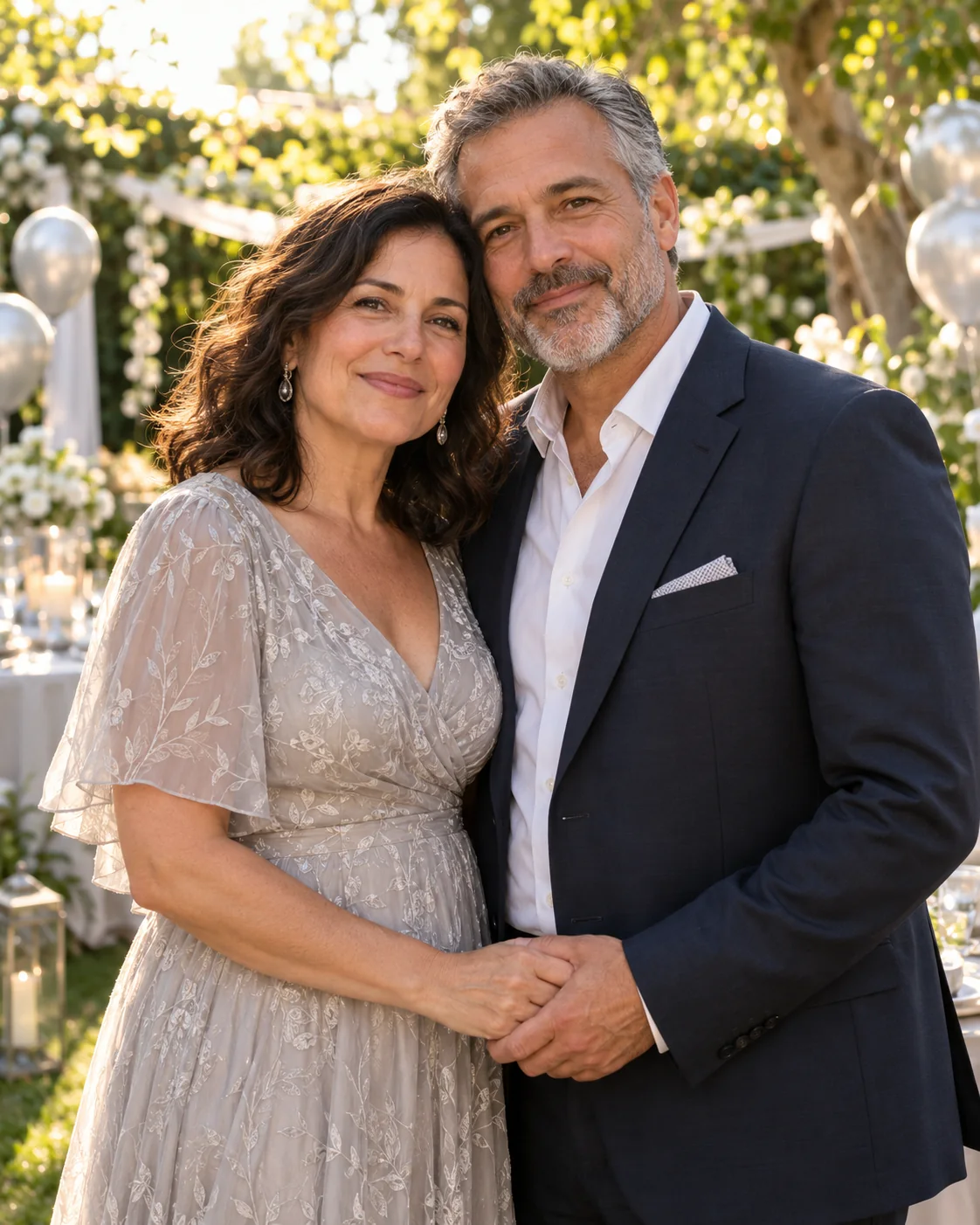
Try the same starting photo
Download the original photo, choose a style in the live demo and upload it to generate your own version.
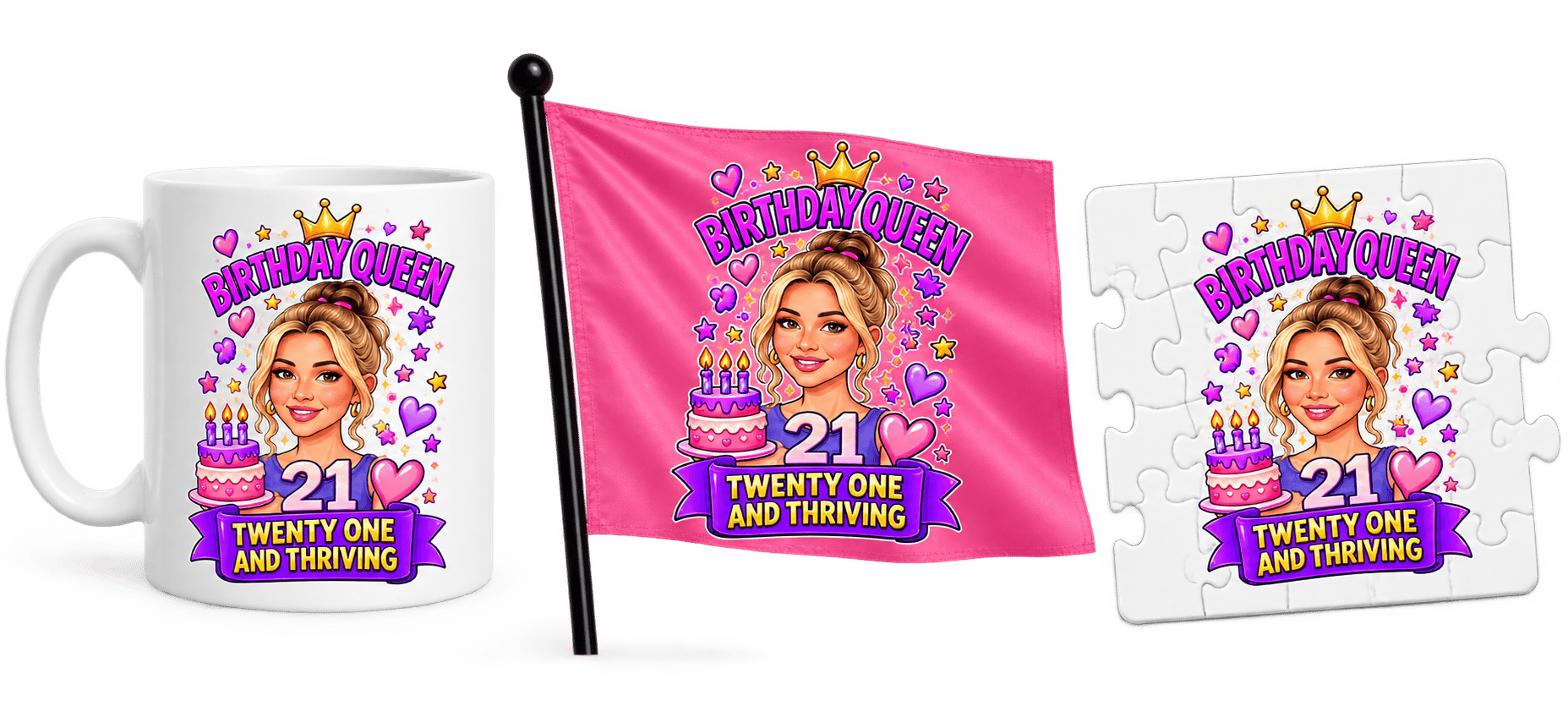
Use it on all your products
Place your AI designs on products from your existing catalog: mugs, flags, puzzles and more.
Your FPD settings, catalog and templates remain in place. Setup takes just a few minutes, and future add-on updates are included.
FPD remains fully intact
All your existing settings stay unchanged.
No adjustments needed
Your catalog and templates remain as they are.
Fast and easy
Up and running in just a few minutes.
Lifetime updates
Get all future updates at no extra cost.