
AI DESIGN TOOLS IN PRINTGEAR
AI Design Tools for Personalized Products (PRO)
Give customers a way to turn their own photos and images into personal designs they can order in your WooCommerce store. Marcus Johnson’s fictional graduation example shows the path from an ordinary portrait to comic artwork, then to products in your print shop’s catalog.
Personal designs, ready to order
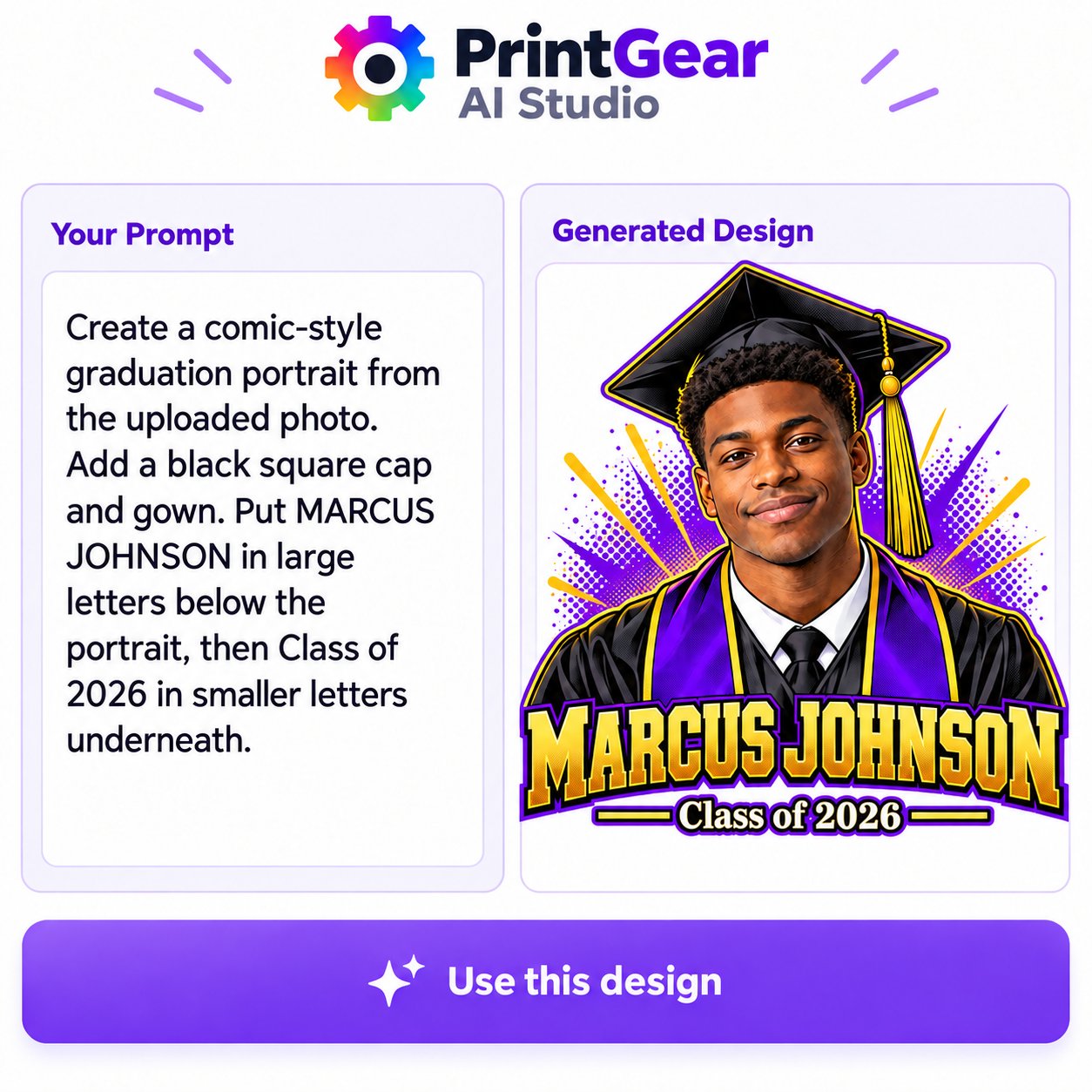
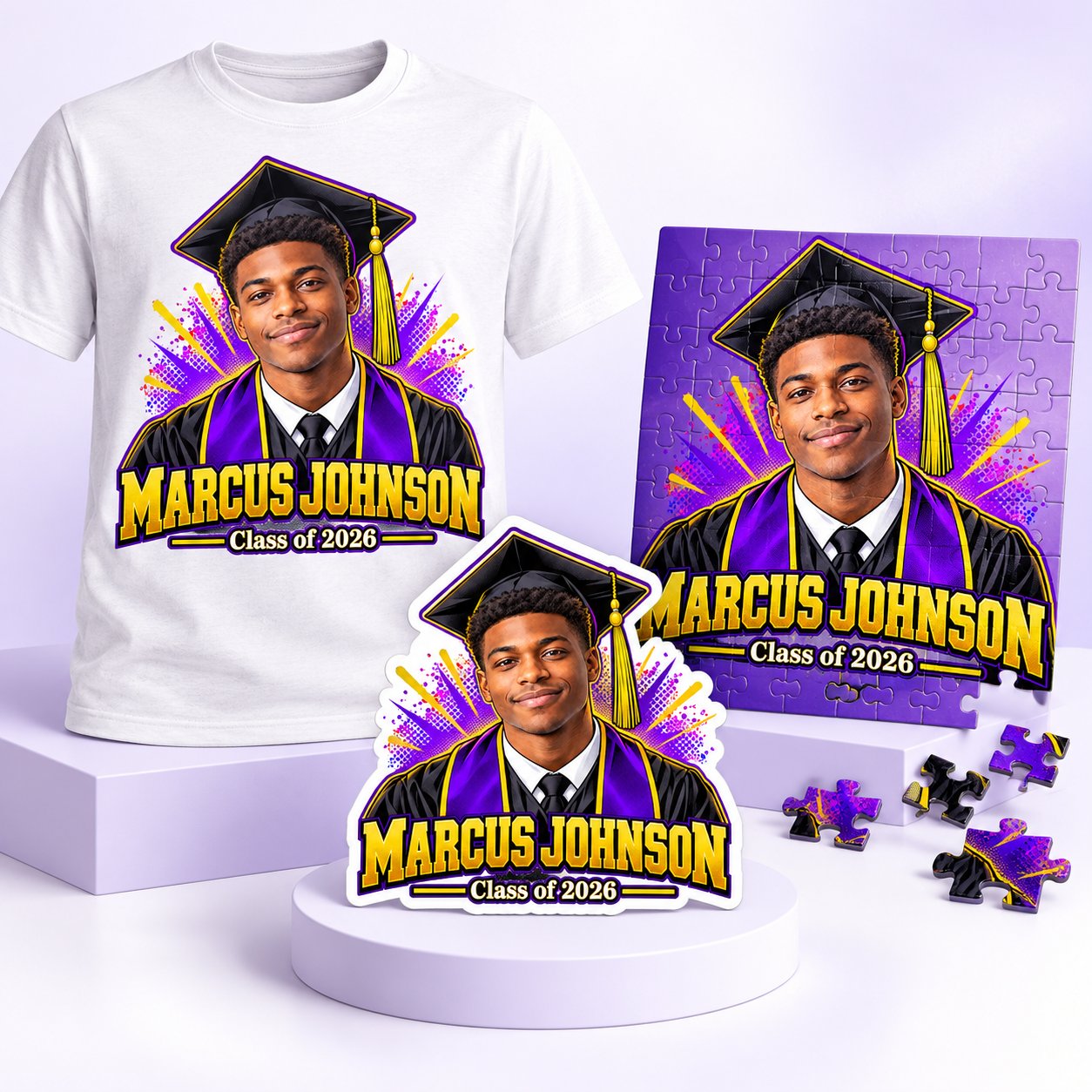
Start with Marcus’s original photo. A specific prompt asks for a comic-style graduation portrait in a black cap and gown, with “MARCUS JOHNSON” large beneath it and “Class of 2026” smaller below. The personal design can then be used on the products your shop offers, such as a T-shirt, sticker or puzzle.

1
Begin with a customer’s image
Marcus’s original portrait is the starting point. The customer can bring a photo or another image with personal meaning, giving the design a subject that a text-only prompt cannot supply.
2
Guide a personal design
The prompt specifies the comic style, graduation cap and gown, and the exact hierarchy of Marcus’s name and class year. The panel brings the prompt and artwork together.
3
Let customers order the result
The artwork is ready to use on suitable products in your catalog. A customer can preview the chosen product and order it directly through your store, whether that is apparel, a sticker or a puzzle.
Personal artwork, connected to ordering
For a print shop, the useful part extends beyond generating an image from text. PrintGear lets a customer start with a photo or image, shape a personal design and see how it works on a product. The finished result can be ordered directly in the same WooCommerce shop. You decide which products, design areas and prices to offer.
AI Studio layout illustration. Try the live demo to create a design and explore the ordering steps.
See the design-to-order flow
Explore how a personal design can move from the designer to a product order in your WooCommerce store.