
FPD ADD-ON · TWO STEPS
Install & set up AI Studio
Install the WordPress plugin, then add AI Studio to your Fancy Product Designer interface.
01
WORDPRESS PLUGINS
Install the plugin
 ⌕ Enlarge image
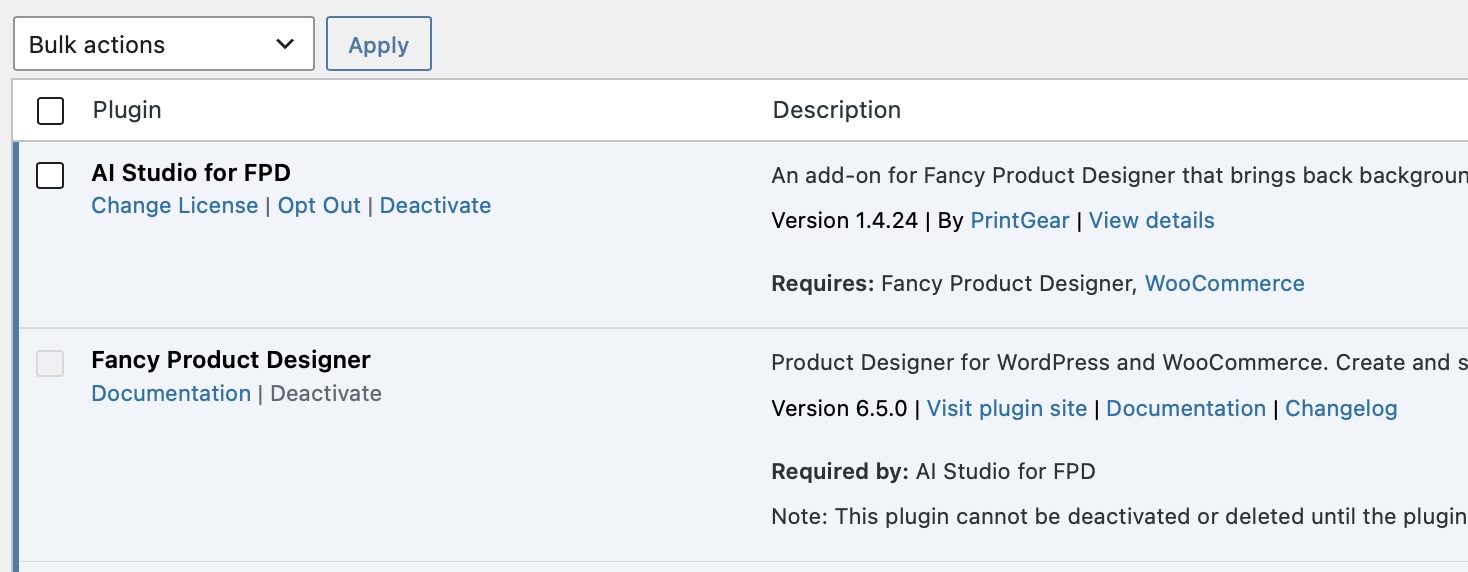
In WordPress, open Plugins → Add Plugin → Upload Plugin. Upload and activate AI Studio for FPD.
Fancy Product Designer and WooCommerce must also be active.
02
FPD UI COMPOSER
Add AI Studio to your interface
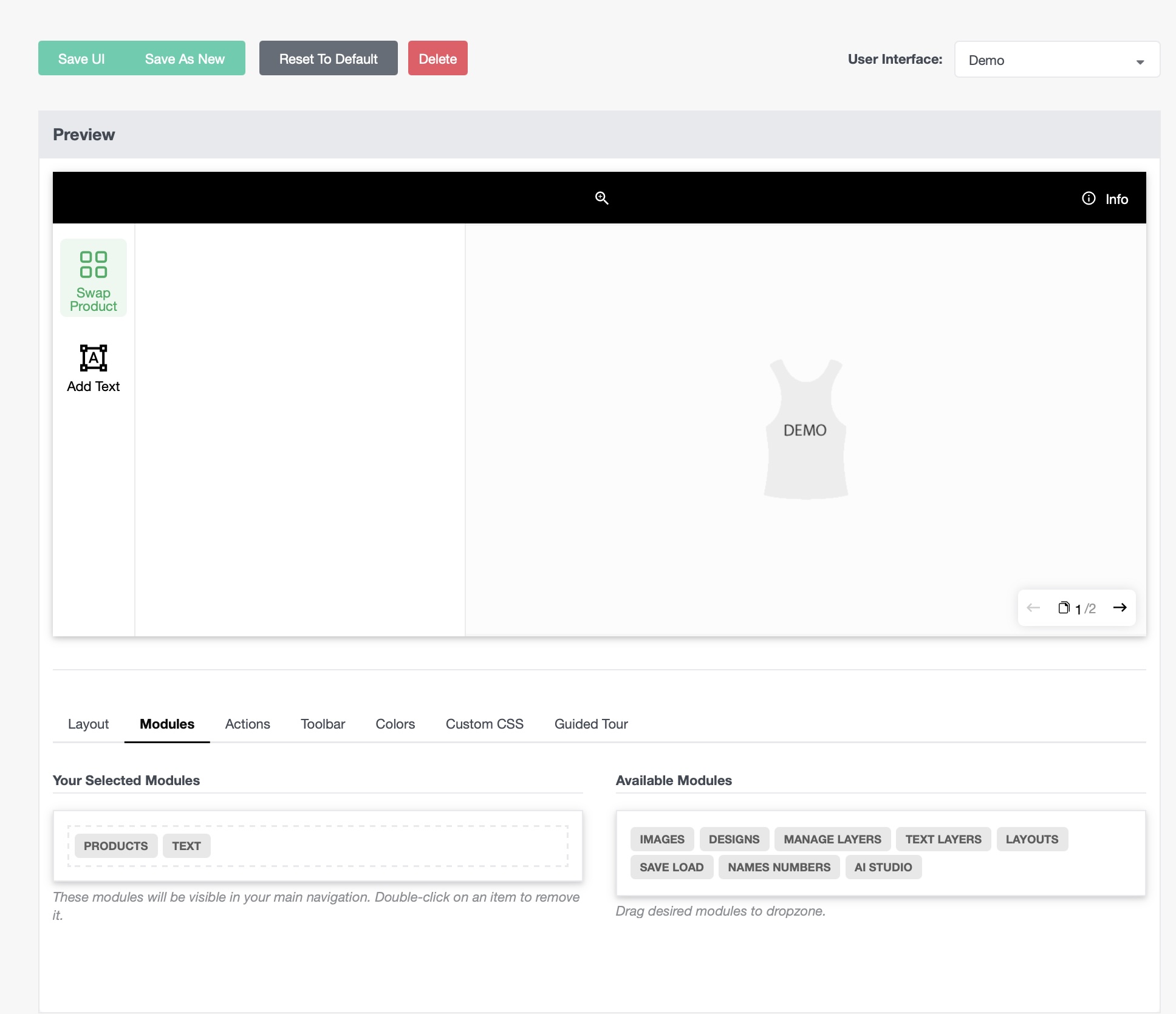
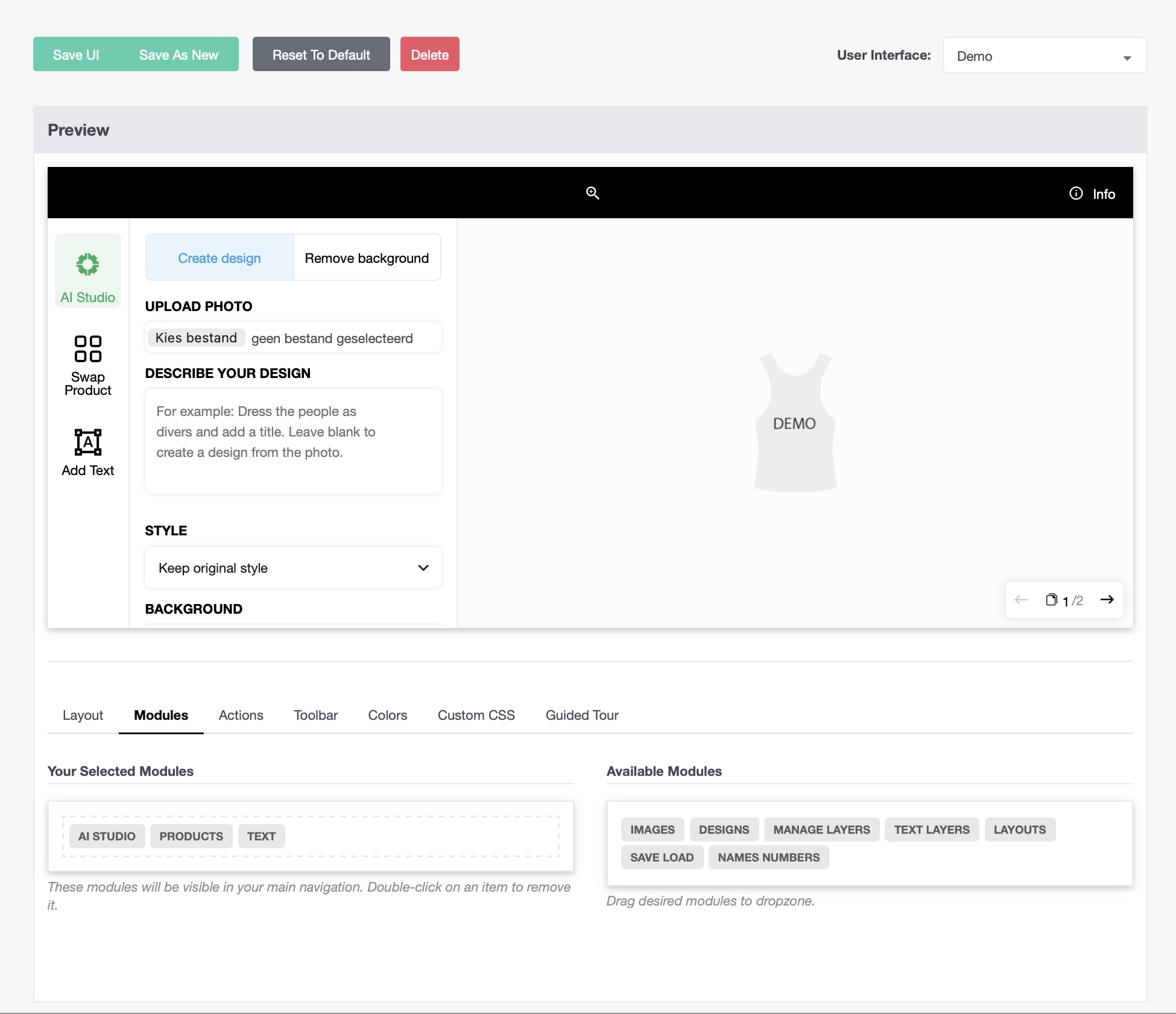
Open Fancy Product Designer → UI Composer → Modules. Drag AI Studio into Your Selected Modules, place it where you want, then click Save UI.
Its button opens Create design and Remove background in the designer.
The animation shows an example layout. Your button position depends on the order you save in UI Composer.
Ready to see what shoppers can create?Explore the AI tools and the FPD add-on.
Explore the FPD Add-on