
TEAMWEAR IN PRINTGEAR
Offer personalized teamwear in your print shop (PRO)
PrintGear adds personalized teamwear and group apparel to a WooCommerce print shop. A shared design can carry individual names, numbers and sizes where needed. That suits sports teams, trade show staff and company clothing.
How a group order works
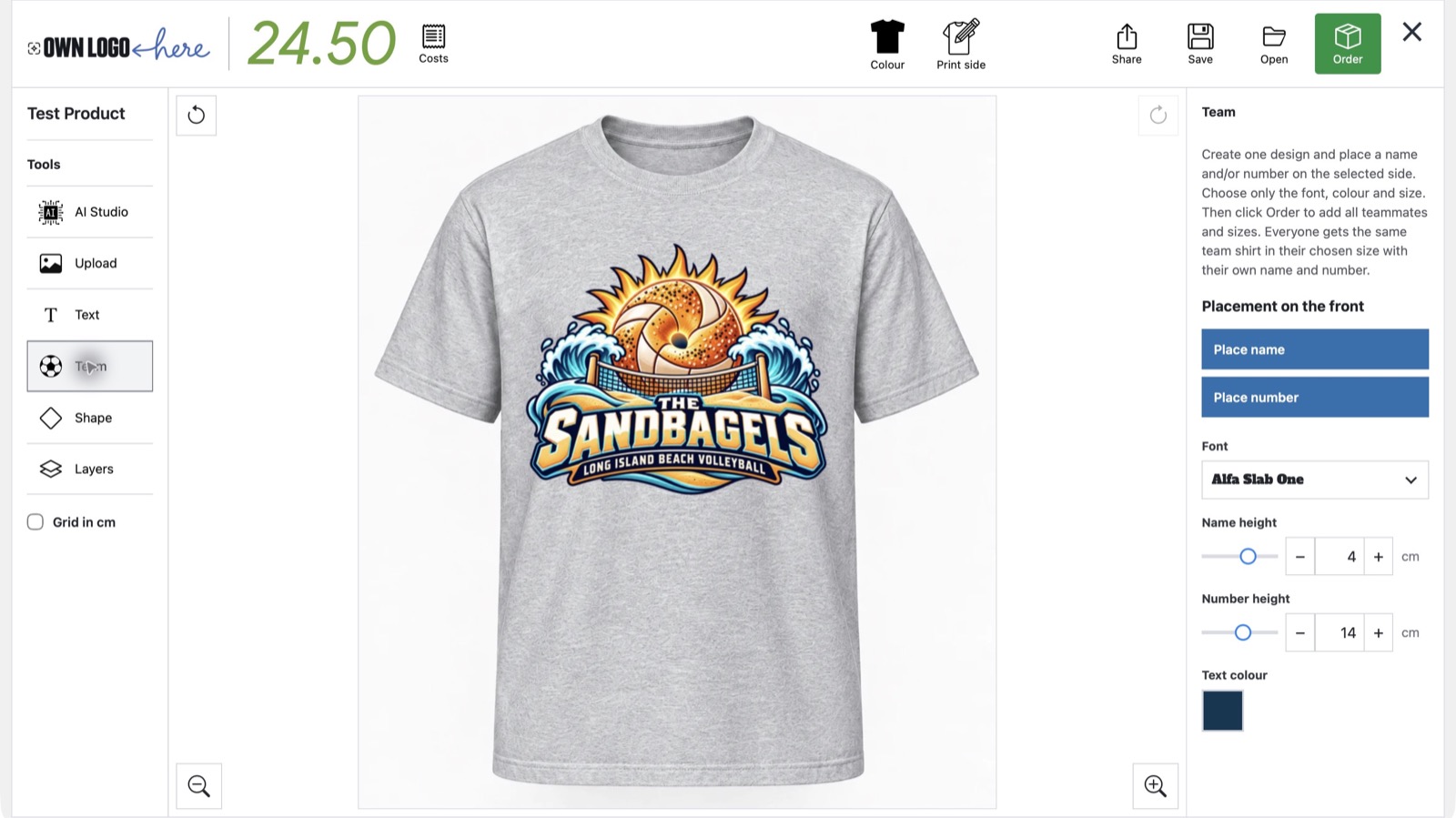
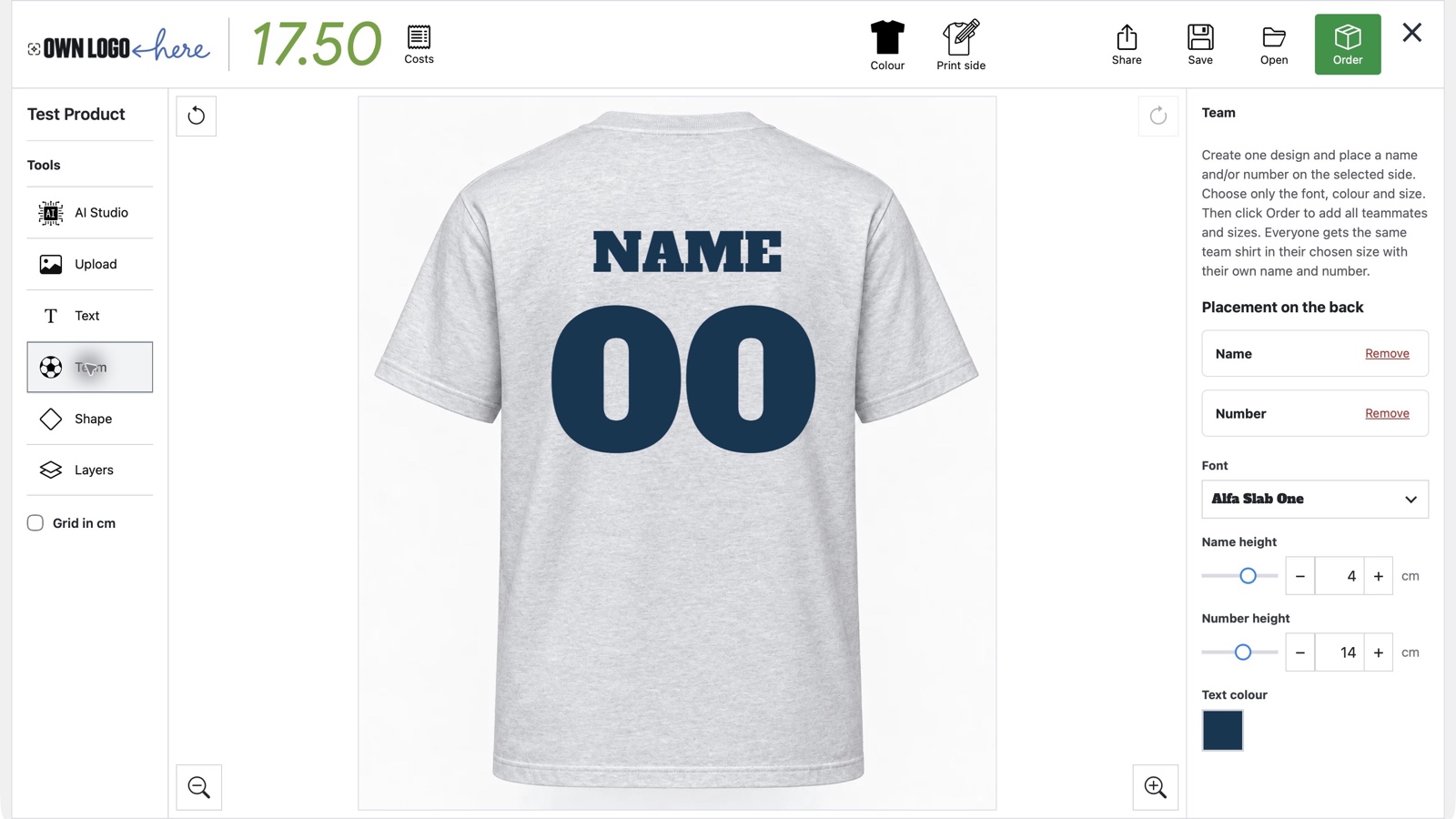
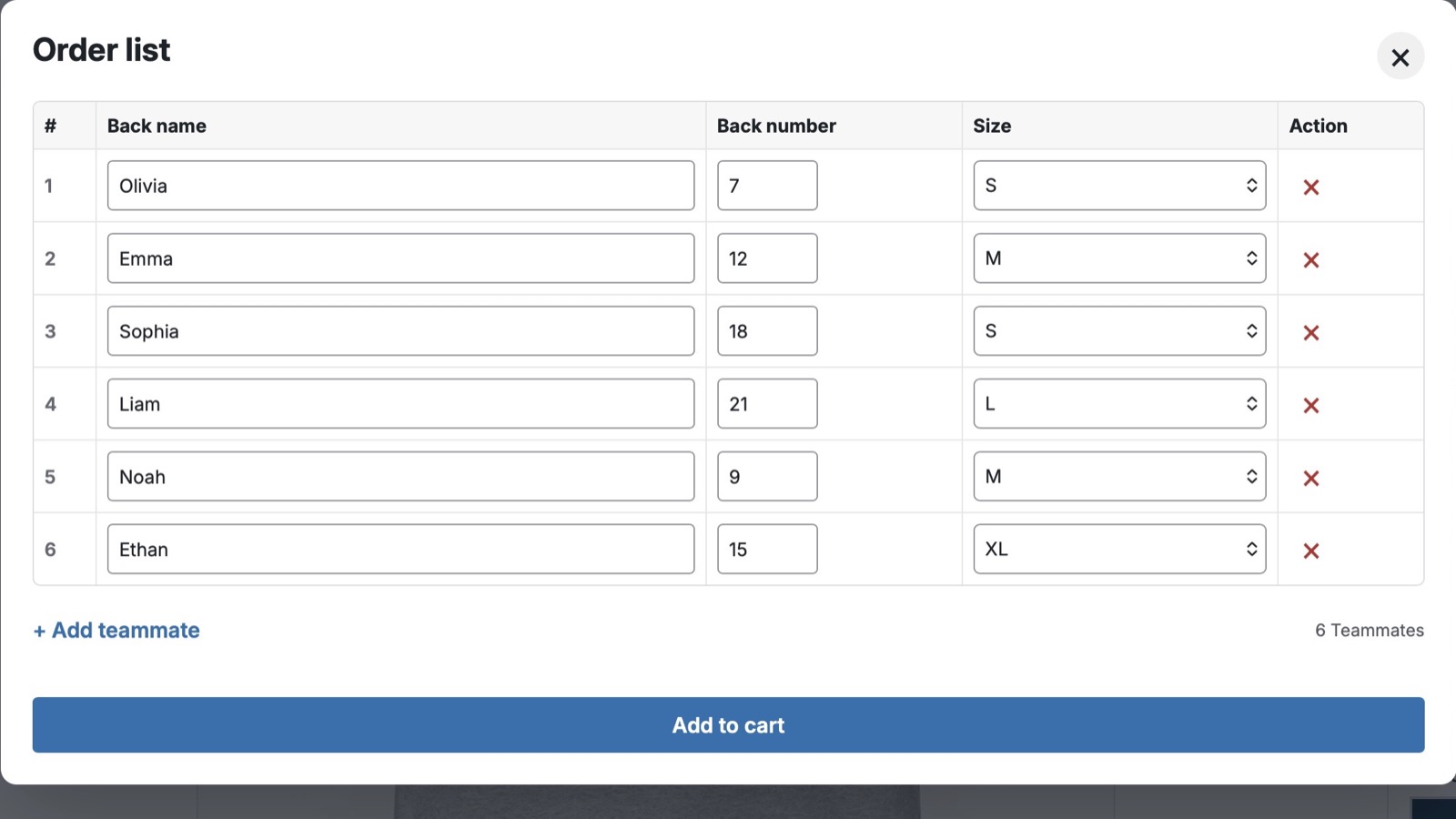
A sport grey Sandbagels shirt shows the three steps: add the club logo, position the shared name and number layout, then enter six teammates with their own names, numbers and sizes.
1
Start with a shared design
Add the Sandbagels sports logo to the front of a sport grey shirt. Here it is 30 cm wide and sits about 5 cm below the collar.
2
Set the personalisation layout
Use Team to centre the name and number on the back, with the number just below the name. Choose one font and colour for both in the same panel.
3
Add individual entries
Select Order to open the team list. Add each teammate’s name, number and size; this example shows Olivia, Emma, Sophia, Liam, Noah and Ethan. Numbers can have one or two digits, as 7 and 9 show.
Check and update details in the cart
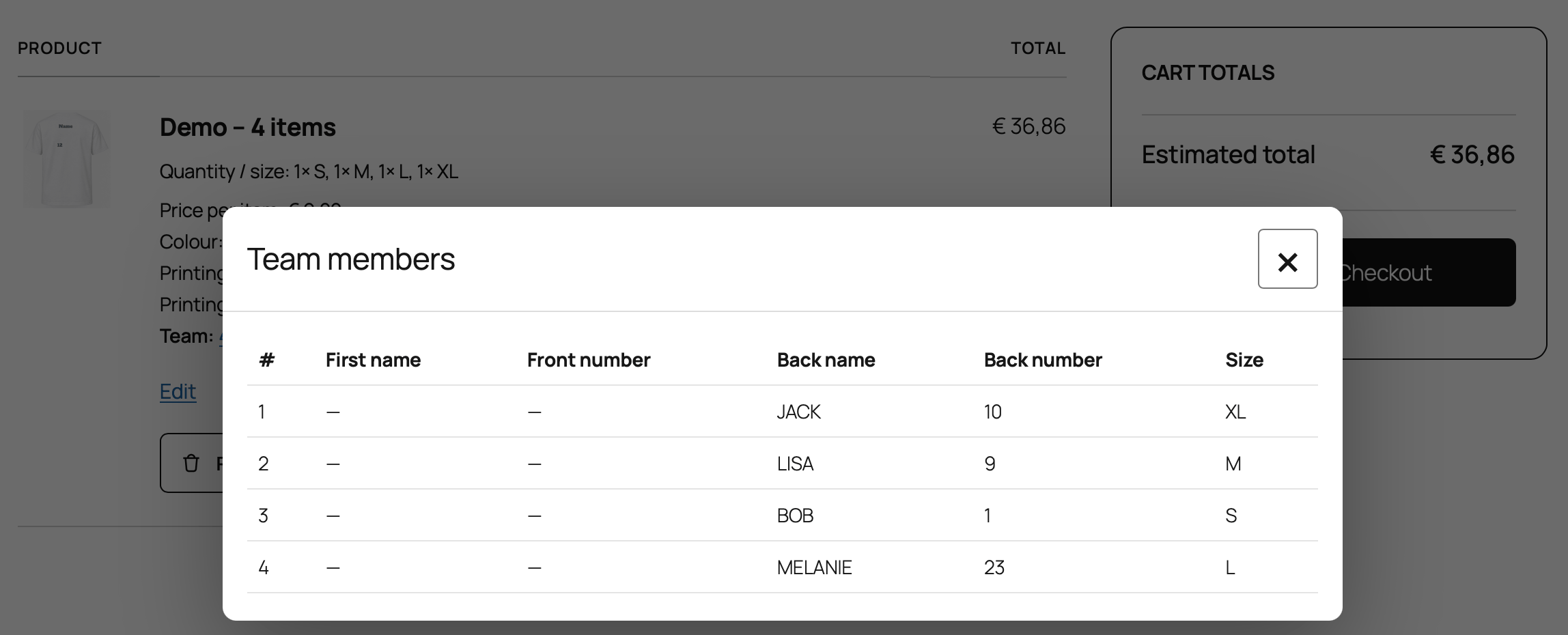
The cart includes a review of all personalized items before checkout. Use Edit to correct names or numbers, add or remove entries, and adjust sizes.
Try a group order in PrintGear
Open the current demo to try the Team controls and order list. The sport grey Sandbagels shirt above shows how the same steps can also serve event and company apparel.